
Text Message Tablet SMS Remote1.5 - Get APK
You'll be able to download in few seconds.
Publisher Description
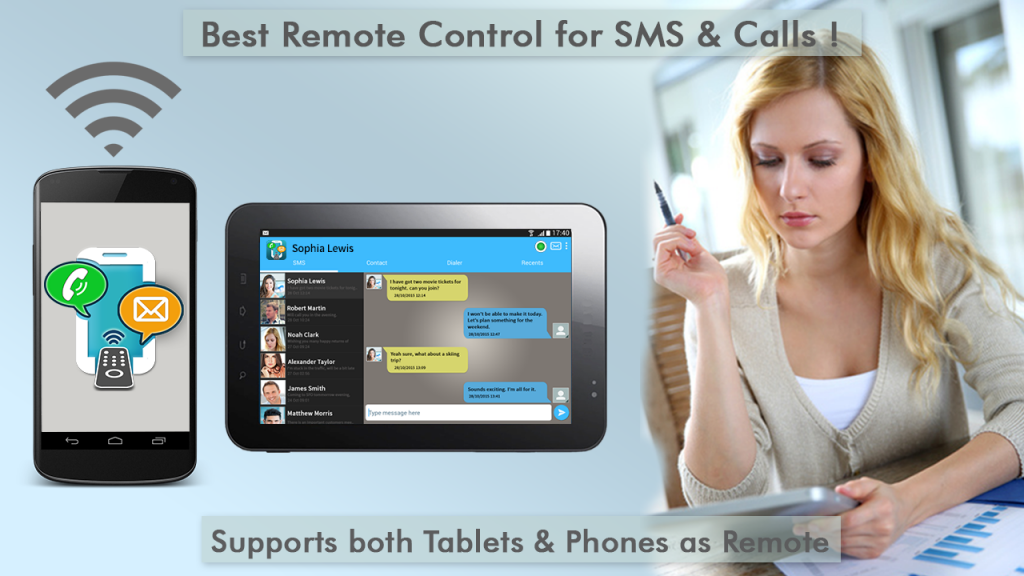
from another device.
Works across all types of devices – Phone with a Tablet, Phone with another Phone, Tablet with another Tablet
. Use a larger screen of a Tablet to control your SMS and Calls of a Phone. Easily connect two devices without the hassle of IP addresses!
All Features are completely FREE!! Why Pay when you are getting everything for FREE!
>>>> Features <<<<
+ Text Messages: Easily Send and Receive your texts from another device. Texting, Messaging made easy.
+ Calls: Easily make and receive calls from another device using contacts of the controlling device.
+ Supports any combinations of devices – Android Phone and a Android Tablet, Android Phone and a Phone, Tablet and a Tablet. No Limits!. Any device can become a Remote Controller, it need not be Tablets Only.
+ Controlling devices SMS/Texts are synced with the Remote Controller automatically in SMS inbox. Texting messages are sync’ed only across devices and are not stored on a Server. So you are more secure.
+ Easy Connectivity: Best in class architecture for discovering & connecting Android devices. It’s very easy to use with Auto Connect option. Supports same WiFi and Hotspot modes. No Internet connectivity required!
+ Contacts Syncing: Contacts are automatically Sync’ed between the controller and controlling devices. Supports Caller ID based on these contacts. Search your contacts and easily call/ talk or texting of messages/ SMS.
+ Use Contacts of your Controlling android device, no need to remember contacts OR check contacts in the other phone! Isn’t it awesome!
+ Call Logs: Syncs call logs. You can dial recent calls from your call logs. These are marked as incoming, outgoing, missed etc. Message Texting / SMS can also be done from this. You would need a Bluetooth headset for talking. Your talks made easy.
+ Notifications support for new incoming text messages.
+ Work and Play: Popup Window support for Incoming Calls and Texts messages. Bluetooth headset is required for voice/talk part! Reply to your text messages from the popup. Make yourself more productive with your Android phone and tablets for texts, talk.
+ Custom Ringtone & Tones: Customize your incoming call ringtones on the remote controller. Similarly, you can change the notifications tone for incoming sms’es.
+ Easily answer your calls from the incoming call popups and talk.
+ Low battery Alert when the connected device (tablet / phone) is running low on battery.
+ Dialer – easy to use dialer. Dial a number directly or dial from your call logs and talk.
+ Modern and Intuitive User Interface.
Texting/ Messaging and Phone calls/talk made easy! Everyone will enjoy using it, be at home, students, office, work place, contractor etc. Useful even when you are travelling, no need of same WiFi, it can work with HotSpot built in the device and connectivity is very easy. You’ll definitely fall in love with the app!
Third party SMS apps such as Handcent and Go SMS may sometimes may block Remote SMS app from receiving messages.
This can be fixed in two steps:
a) Change the setting in your SMS app. For GO SMS Pro: Settings->Receive Settings->Disable other message notification: Uncheck. For Handcent: Settings->Application Settings->Default Messaging application: set to “Disable”.
b) Open the default Android SMS app that came with your phone. Open its settings and disable notifications to prevent duplicate notifications.
About Text Message Tablet SMS Remote
The company that develops Text Message Tablet SMS Remote is AppzCloud Technologies. The latest version released by its developer is 1.5.
To install Text Message Tablet SMS Remote on your Android device, just click the green Continue To App button above to start the installation process. The app is listed on our website since 2016-07-02 and was downloaded 0 times. We have already checked if the download link is safe, however for your own protection we recommend that you scan the downloaded app with your antivirus. Your antivirus may detect the Text Message Tablet SMS Remote as malware as malware if the download link to com.appzcloud.smscallsremote is broken.
How to install Text Message Tablet SMS Remote on your Android device:
- Click on the Continue To App button on our website. This will redirect you to Google Play.
- Once the Text Message Tablet SMS Remote is shown in the Google Play listing of your Android device, you can start its download and installation. Tap on the Install button located below the search bar and to the right of the app icon.
- A pop-up window with the permissions required by Text Message Tablet SMS Remote will be shown. Click on Accept to continue the process.
- Text Message Tablet SMS Remote will be downloaded onto your device, displaying a progress. Once the download completes, the installation will start and you'll get a notification after the installation is finished.
Program Details
System requirements
Download information
Pricing
Version History
version 1.5
posted on 2016-07-02
Few fixes
Disclaimer
External Download
We do not host Text Message Tablet SMS Remote on our servers. We did not scan it for viruses, adware, spyware or other type of malware. This app is hosted by Galad and passed their terms and conditions to be listed there. We recommend caution when installing it.
The APK Download link for Text Message Tablet SMS Remote is provided to you by apps112.com without any warranties, representations or guarantees of any kind, so access it at your own risk.
If you have questions regarding this particular app contact the publisher directly. For questions about the functionalities of apps112.com contact us.
